Reviewing Article Pitches and Responding to Orders
When a brand places an order on your site through SearchEye, you'll receive an email with a link to review it. This guide walks you through everything you'll see on that page and exactly what to do.
Before You Start: What This Page Is (and Isn't)
The most important thing to know upfront:
You are not being asked to publish anything yet.
What you're reviewing are article pitches — topic and angle ideas proposed for a single article. Think of them as options. You're simply choosing which direction feels like the best fit for your site. The final piece goes through QC and brand approval before it ever comes back to you for publishing.
A few things to keep in mind:
Each order includes multiple pitch angles (usually 3–5) but only 1 article will be written and delivered
The pitches are topic proposals, not finished content
Nothing gets published based on what you do on this page
You're just helping us understand which direction works for your audience
What You'll See on the Page
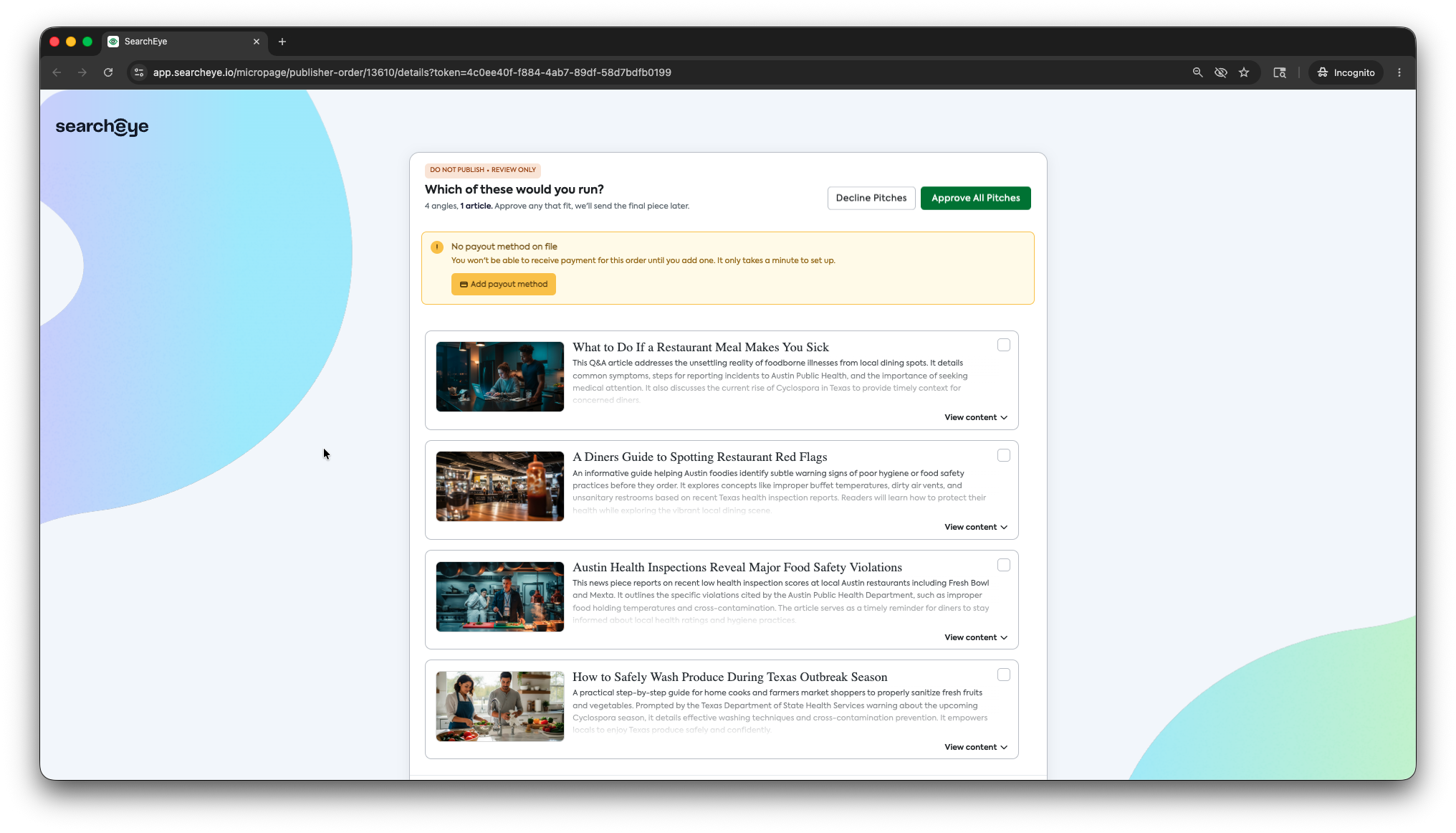
1. The Review Banner

At the very top, you'll see a banner that reads DO NOT PUBLISH • REVIEW ONLY. This is a reminder that this step is pitch selection only — no content is ready for publishing at this stage.
Below it, you'll see a summary line like:
"4 angles, 1 article. Approve any that fit, we'll send the final piece later."
This tells you how many pitch options are available for this order, and confirms that only one article will be produced from whichever angle(s) you approve.
2. Payout Method Warning (if applicable)

If you haven't added a payout method to your account yet, you'll see a yellow warning banner at the top of the page. You won't be able to receive payment for this order until this is set up.
👉 Click Add payout method in the banner to get this sorted before you proceed. It only takes a minute.
3. The Pitch Cards
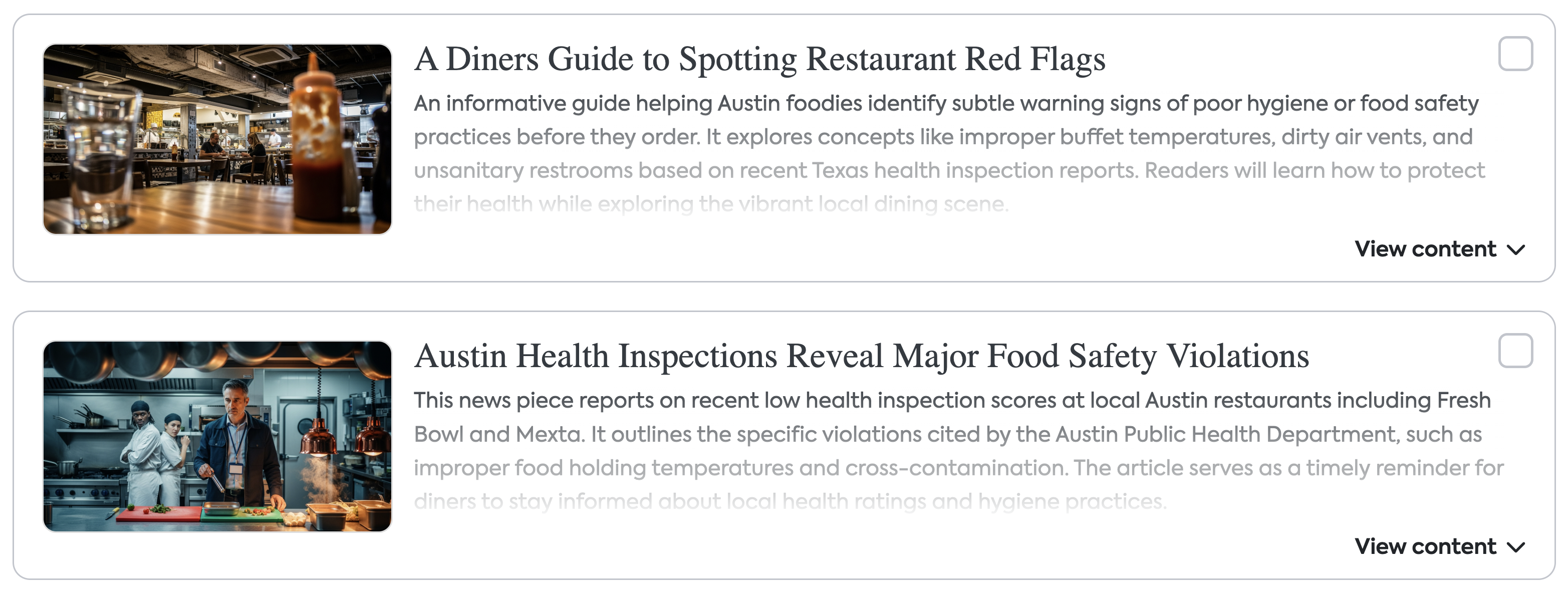
The main section of the page lists all the pitch angles for this order. Each card includes:
Thumbnail image — a visual representation of the article topic
Title — the proposed article headline Description — a brief summary of what the article covers and why it's relevant
View content — click this to expand and read a fuller preview of the pitch
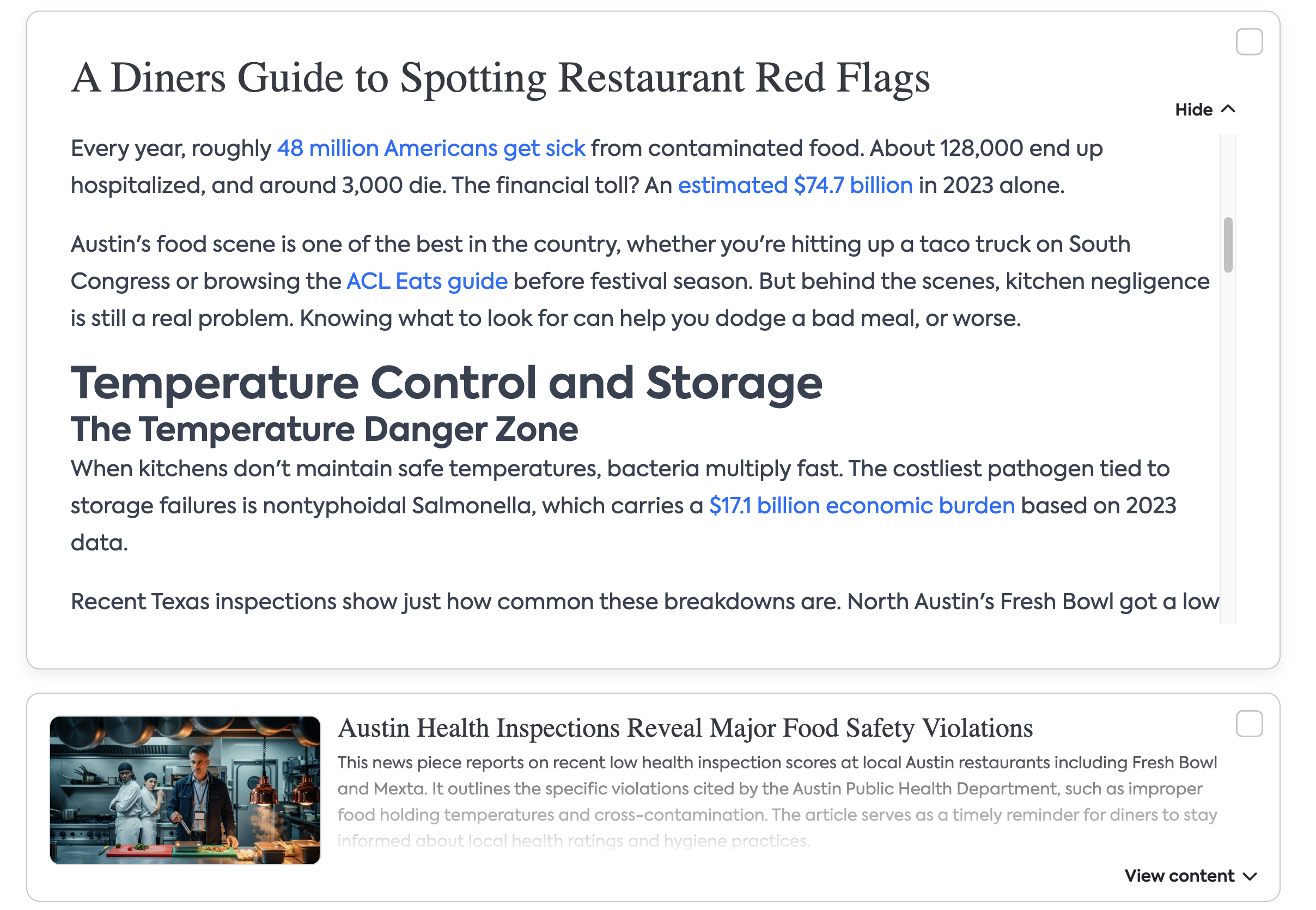
Take your time reading through the pitches. You're looking for whichever angle makes the most sense for your site's audience and content style.
4. Request Details
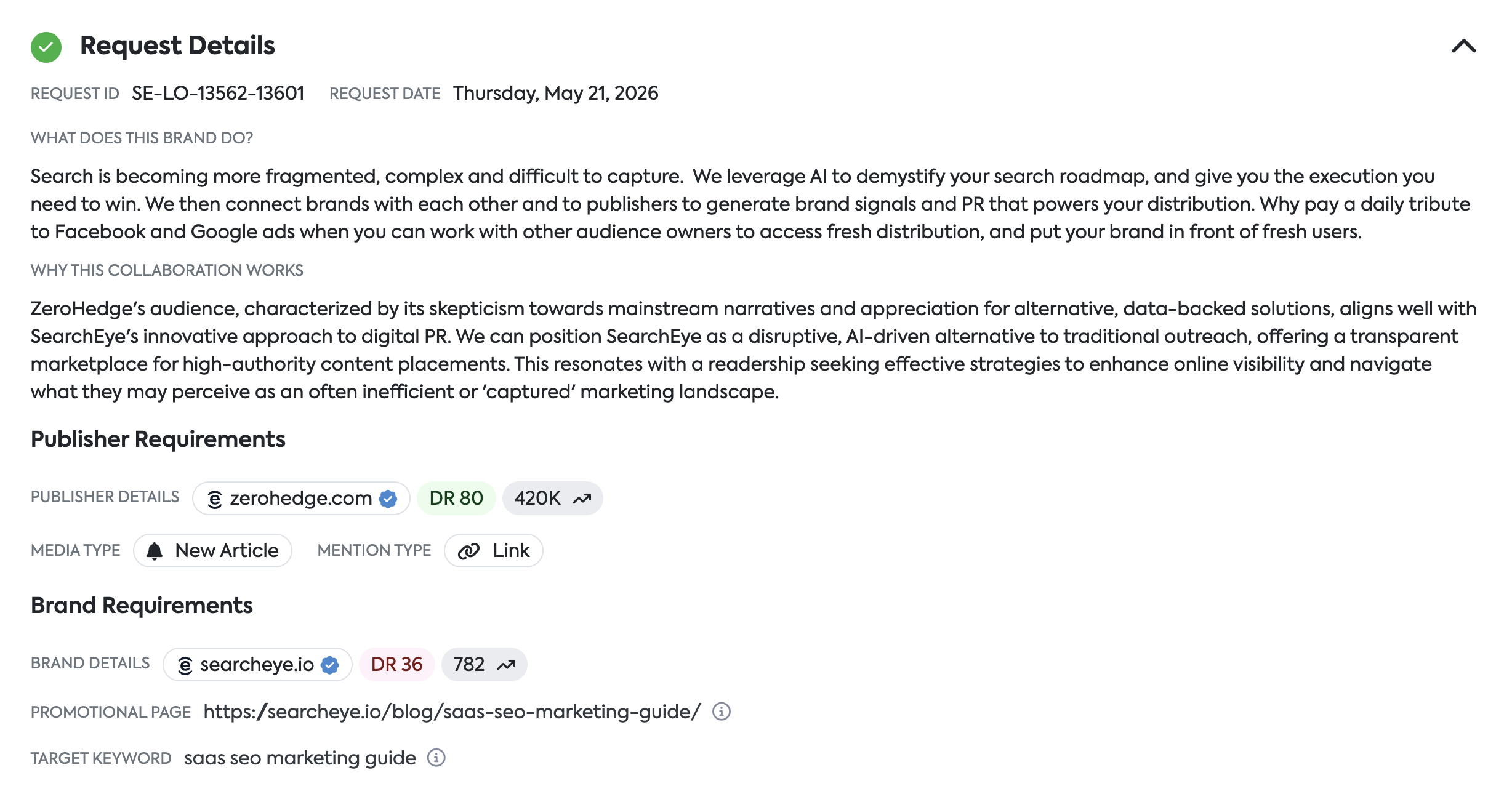
Scroll down past the pitch cards to find the Request Details section. Click to expand it. Here you'll find:
Request ID — your unique order reference number (e.g. SE-LO-13574-13610)
Request Date — when the order was placed
What does this brand do? — background on the brand placing the order, so you understand the context
Publisher Requirements — your site's domain and media type for this order
Brand Requirements — the brand's domain, the promotional page they want linked, and the target keyword the article should rank for
This section is for reference. You don't need to take any action here — it just helps you make a more informed decision when reviewing the pitches.
5. Have a Question or Concern?

Just below the Request Details section, you'll find a message field where you can send a note directly to our team. Use this if you have questions about the order, the brand, the topic direction, or anything else before making your decision. Click Send, and we'll follow up with you.
6. View History
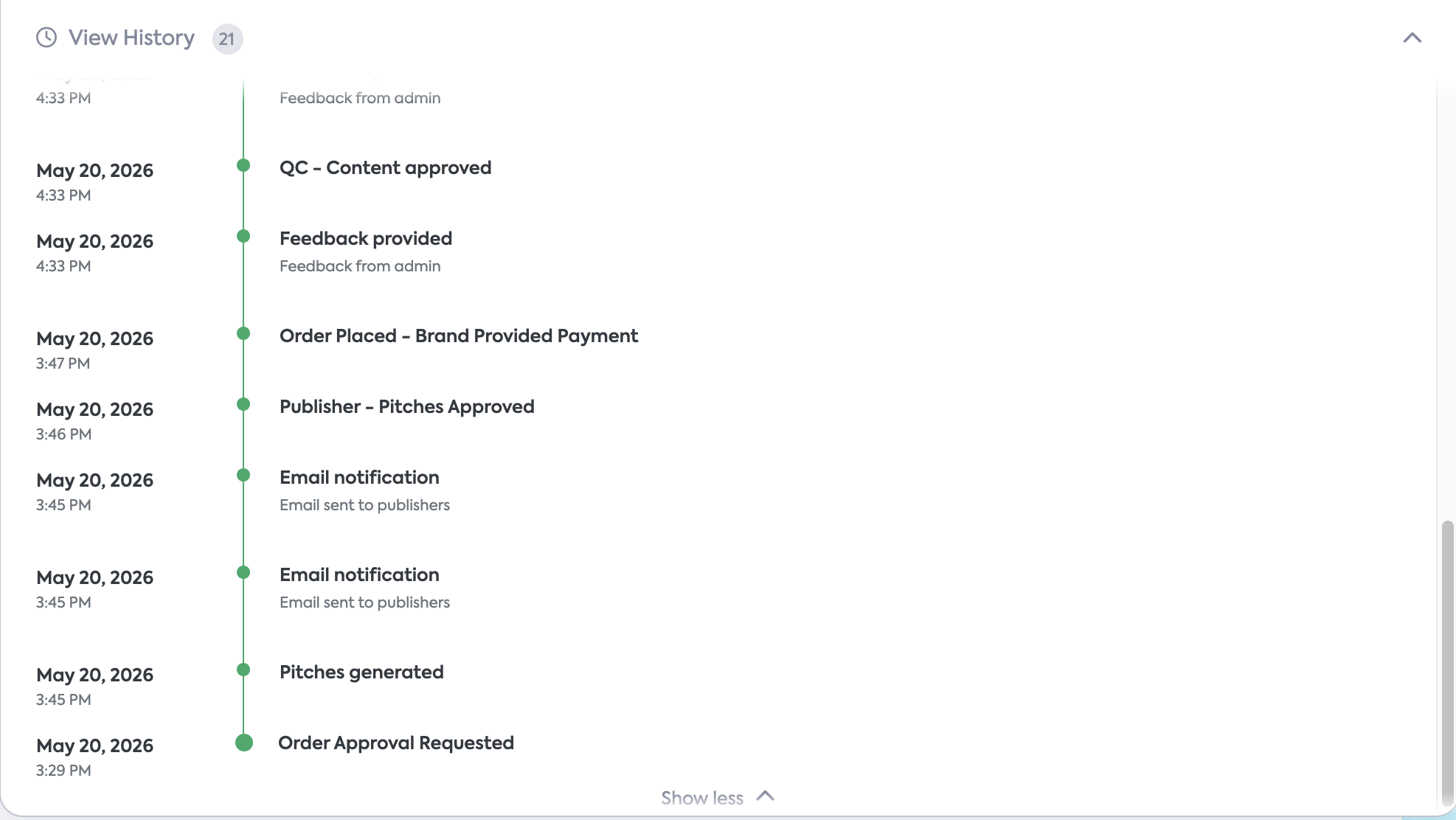
At the bottom of the page, you can expand View History to see a log of activity on this order — including when email notifications were sent.
What to Do: Step-by-Step
Option A: Approve Pitches ✅
Read through the pitch cards. Use View content to expand any pitch you want to read in full.
Check the box on any pitch angle(s) that feel like a good fit for your site. You can select more than one — our team will use your selections to guide the final article direction.
Once you've made your selections, click Approve All Pitches at the top of the page.
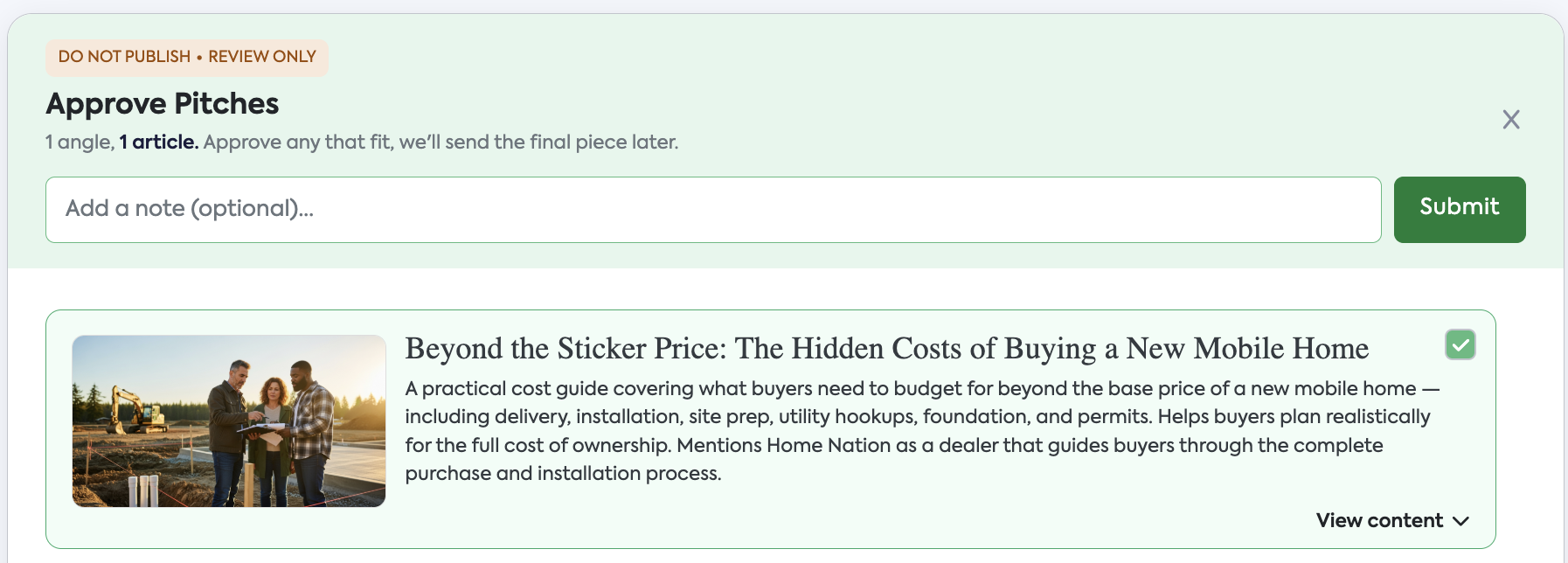
A confirmation modal will appear. You can add an optional note here — for example, if you have specific preferences or guidance for the writer. This is entirely optional.
Click Submit.
That's it! Our team will take it from there. The article goes through QC and brand approval, and once it's ready, we'll send it to you for publishing.
Option B: Decline Pitches ❌
If none of the pitch angles are a good fit for your site, you can decline the order.
Click Decline Pitches at the top of the page.
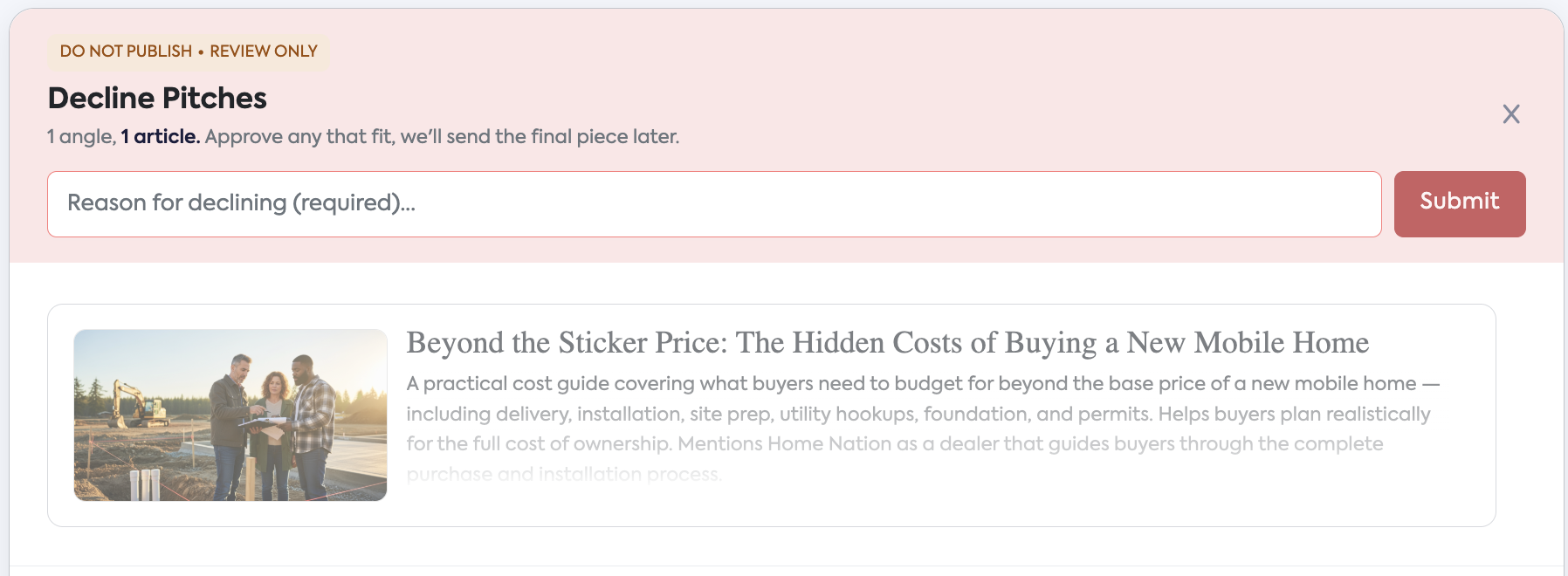
A modal will appear asking for a reason for declining — this field is required.
Enter your reason (e.g. topic doesn't fit our niche, we've recently covered this subject, etc.) and click Submit.
Your feedback helps our team understand your content preferences and improve future matches.
What Happens If You Don't Respond?
Once pitches are generated, you have 14 days to approve or decline before the order is automatically cancelled.
To help you stay on top of it, we'll send you reminder emails throughout that window:
Day | What happens |
|---|---|
Day 0 | Pitches generated — first notification sent |
Day 3 | Reminder email |
Day 5 | Reminder email |
Day 7 | Reminder email |
Day 10 | Final reminder email |
Day 14 | Order auto-cancelled if no response |
If your order is cancelled due to no response, the placement opportunity is lost. We recommend reviewing and responding as soon as possible after receiving the initial notification.
Missed the window? Reach out to our support team at publishers@searcheye.io and we'll do our best to help.
Frequently Asked Questions
Do I need to select just one pitch?
No, you can check multiple pitches that feel like a good fit. We'll use your selections to determine the best angle for the final article. Only one article will be written per order.
What happens after I approve?
The article goes into production and through our QC process and brand approval. Once the final piece is ready, we'll send it to you for publishing. You are not expected to publish anything based on this review step.
Can I ask a question about the order?
Yes. Scroll down to the Have a question or concern? field and send us a message directly from the page. Our team will follow up.
What if I don't have a payout method set up?
You can still review and approve pitches, but you won't receive payment until a payout method is on file. Set it up as early as possible to avoid delays. Look for the yellow banner at the top of the page.
What happens if I don't respond in time?
Orders are automatically cancelled after 14 days of no response. You'll receive reminder emails at regular intervals before this happens. If your order was cancelled, contact our support team, and we'll see what we can do.
What if I want a different topic entirely?
Use the Decline Pitches option and include your feedback in the reason field. Let us know what kind of content would be a better fit, and we'll take note for future orders.
Still have questions? Reach out to our support team — we're happy to help.