Managing Your Membership: Plans, Payments, and Billing
Your Membership page is the home for everything billing-related: your plan, your card on file, your invoices, and your renewal. This guide walks through each task and answers the most common questions at the end.
Where to find it: Click your workspace menu, open Settings, then select Membership under the Organization section.
1. Understanding your Membership page
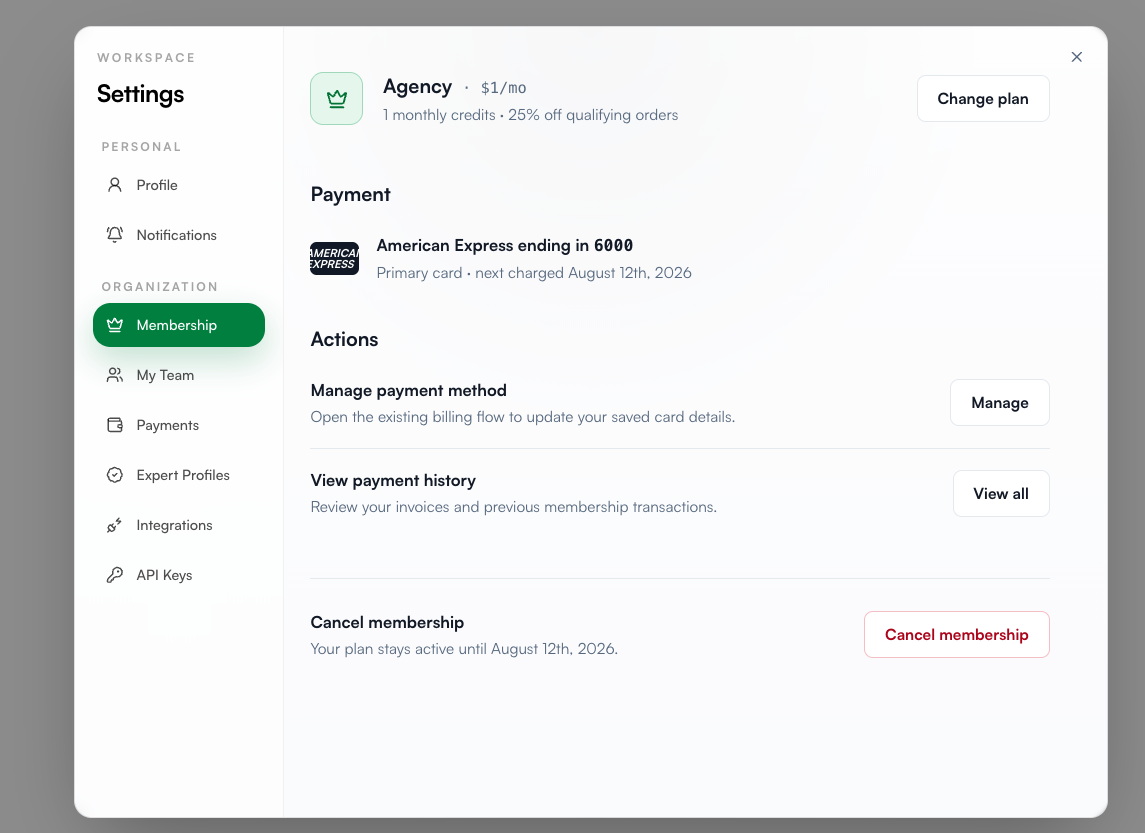
At the top of the page, you'll see your plan at a glance:
Plan name and monthly price (for example, Agency at $599/mo)
Included benefits, such as monthly credits and your order discount
Payment card on file and your next charge date
Everything else on this page is grouped under Actions: managing your payment method, viewing payment history, and cancelling your membership.
Tip: Your next charge date is your renewal date. Any plan changes or cancellations key off this date, so it's worth knowing where to find it.
2. Changing your plan
Your plan determines how many sites you can register, your monthly spend cap, and whether you get bulk discounts and access to Exclusive Publications.
To switch plans:

On the Membership page, click Change plan.
Compare the available plans. Your current plan is greyed out and labeled Current plan.
Click the button under the plan you want, and follow the prompts to confirm.
Choosing the right plan:
Pro | Agency | Enterprise | |
|---|---|---|---|
Price | $99/month | $599/month | Custom |
Registered sites | Up to 3 | Up to 50 | Unlimited |
Monthly spend cap | $10,000 | $100,000 | Custom |
Order discount | None | 25% monthly discount | Custom |
Exclusive Publications | No | Yes | Yes |
Best for | Getting started or a small brand portfolio | Agencies running campaigns at scale | Teams that want the whole program run for them |
All plans include publication URLs, content topic suggestions, and Dream Collaborations. Enterprise adds a dedicated strategist, priority support, a custom placement budget, unlimited brands and seats, and a white-label option. To explore Enterprise, click Book a call and our team will design a program around your goals.
3. Updating your payment method
Keep your card current to avoid any interruption at renewal.
To manage your cards:

On the Membership page, under Actions, click Manage.
You'll see every card saved to your workspace. The card charged at renewal is labeled (Primary).
From this screen you can:
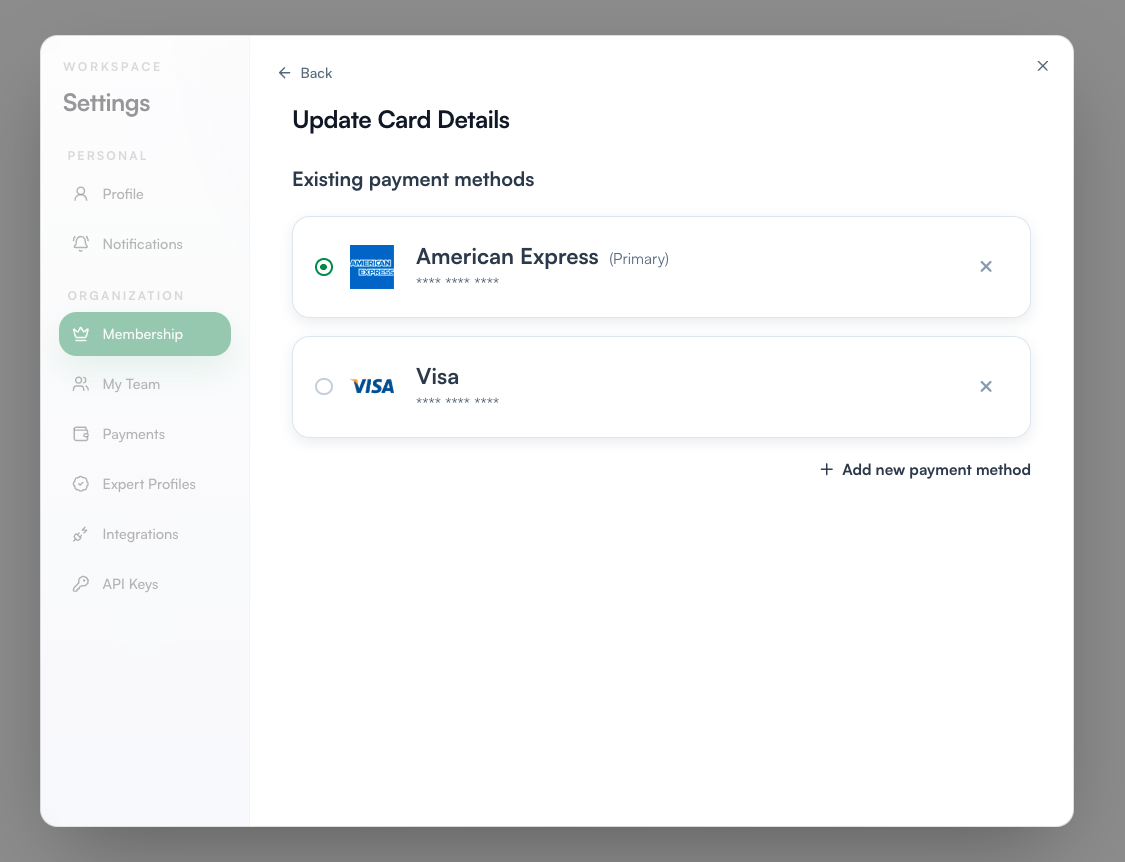
Change your primary card. Select the radio button next to the card you want to use going forward.
Remove a card. Click the X next to it. If it's your primary card, set a different card as primary first.
Add a new card. Click + Add new payment method, enter the cardholder name and card details, tick the terms and conditions box, and click Save payment method.
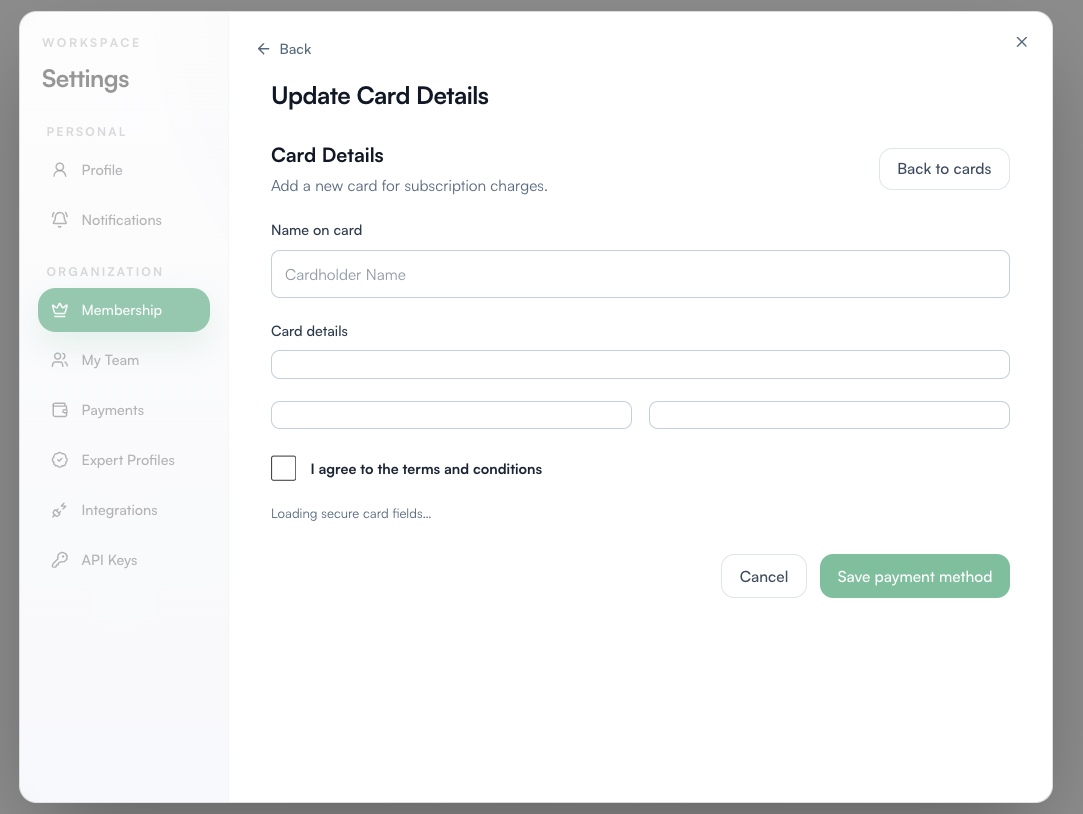
Your card details are entered through secure, encrypted fields and SearchEye never stores your full card number. Only the card brand and last four digits are visible in your settings.
4. Viewing payment history and downloading invoices
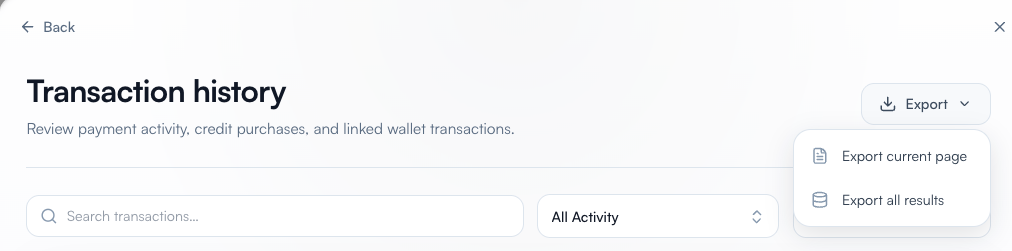
Your Transaction history is a complete record of payment activity, credit purchases, and linked wallet transactions.
To open it: On the Membership page, under Actions, click View all next to "View payment history."

Reading your transactions:
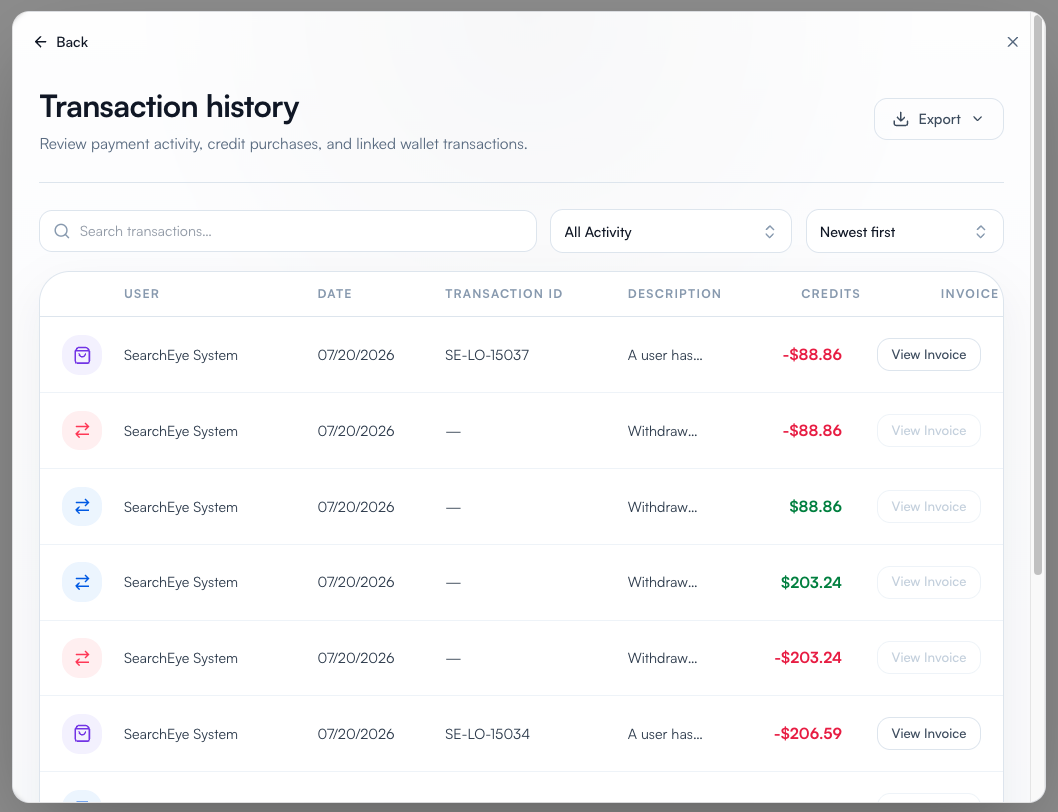
Each row shows the date, transaction ID, a short description, and the amount.
Green amounts are credits added to your wallet. Red amounts are charges or deductions.
Order-related charges include a transaction ID (for example, SE-LO-15037) you can quote to support.
Finding what you need:
Search by keyword or transaction ID.
Filter by type with the All Activity dropdown.
Sort newest or oldest first.
Getting your paperwork:
Click View Invoice on any eligible transaction to open its invoice.
For bookkeeping or reconciliation, click Export in the top right and choose Export current page or Export all results.
5. Cancelling your membership
You can cancel any time, and you won't lose anything mid-cycle.
To cancel:
On the Membership page, scroll to the bottom.
Click Cancel membership and follow the prompts to confirm.

What happens next:
Your plan stays active until the end of your current billing period. The exact date is shown right next to the cancel button.
You keep every plan benefit, including monthly credits and order discounts, until that date.
No further charges after that. Your workspace, registered sites, and history all remain in place.
Before you go: If cost is the main concern, downgrading to Pro keeps your account fully functional at a lower price; see section 2 above. And if something isn't working the way you expect, contact support first. We'd love the chance to fix it.
Changed your mind? Reactivate any time by choosing a plan from the Membership page. Everything will be exactly where you left it.
6. FAQ and troubleshooting
When am I charged?
On your renewal date, shown on the Membership page under Payment (for example, "next charged August 12th, 2026"). The card labeled (Primary) is the one billed.
When does a plan change take effect?
Your renewal date drives your billing cycle. If the timing of a specific upgrade or downgrade matters to you, contact support before switching and we'll confirm exactly what to expect.
My renewal charge failed. What now?
Open Membership > Manage and check that your primary card hasn't expired. Update it or add a new card and set it as primary, then contact support if you need the charge retried.
I can't remove a card.
The primary card can't be removed while it's set as primary. Select another card as primary first, then remove the old one with the X.
Why don't some transactions have a View Invoice button?
Not every activity type generates an invoice; internal wallet movements, for instance, don't. If you need documentation for one of these, contact support with the date and amount and we'll sort it out.
I need my full billing history for accounting.
Use Export > Export all results on the Transaction history page for a complete download, or Export current page if you've already filtered to what you need.
I cancelled but my plan still shows as active.
That's expected. Cancelling stops future charges, but your plan runs until the end of the paid period. The end date is shown on the Membership page.
I cancelled by mistake. Can I undo it?
Yes. Pick a plan from the Membership page at any time to reactivate. Your workspace, sites, and history are preserved whether you come back tomorrow or next year.
Can I keep my account without paying for a plan I'm not using? Downgrading is usually the better move than cancelling: click Change plan and switch to Pro to keep everything running at the lowest monthly cost.
Still have a question? Reach out to our support team at brands@searcheye.io and we'll be happy to help.