A Faster Way to Submit Topics, Briefs & Brand Strategy Inputs [+ Template]
Submitting digital PR opportunities traditionally required a high degree of manual work — from re-entering keywords and target pages to typing topics and article briefs in unstructured fields. This approach created inconsistencies, slowed down workflow, and limited the ability to scale high-quality PR submissions.
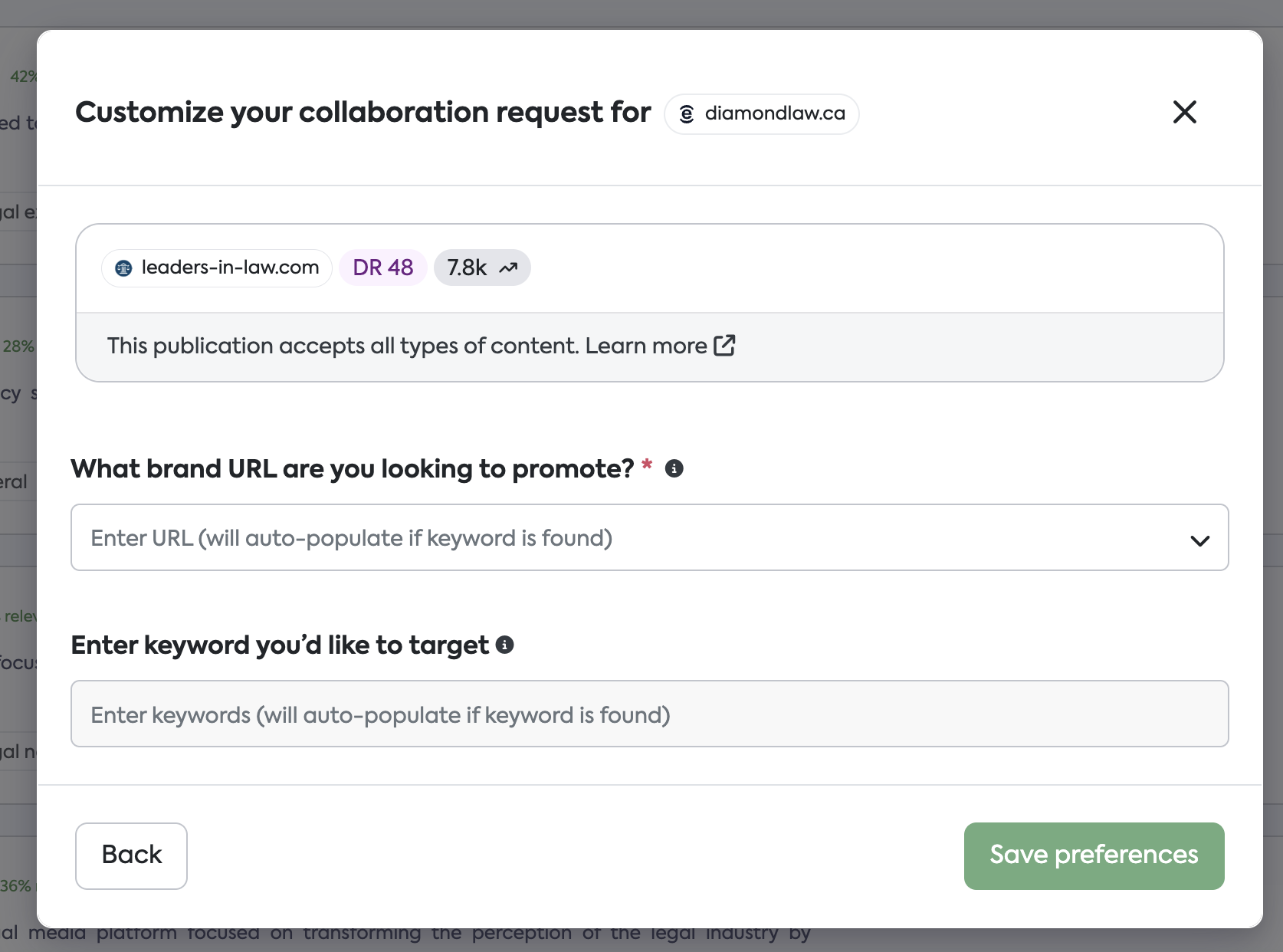
To address these challenges, we’ve introduced a structured template that enables teams to supply topic, brief, and keyword strategy quickly, consistently, and at scale. SearchEye now parses this information directly, ensuring that inputs are clean, standardized, and ready for review.
Template (View-Only):
https://docs.google.com/spreadsheets/d/1hF9I5fm4D4LCScybSWp4U2VbGA02PPlZEQ0hIia2H9o/copy
(Select File → Make a Copy to create your own editable version.)
What’s Changing
Previously
Keywords and target pages were typed manually
Topics and briefs were provided as optional free-form text
Brand integration guidance had no defined structure
Submissions were inconsistent across team members
Bulk creation required repetitive input
Now
Provide topics, briefs, and integration guidance in a structured, standardized format
Keywords and target pages no longer need to be manually entered
SearchEye reads and interprets the formatted output instantly
Submissions become significantly faster and more consistent
Ideal for bulk creation or high-volume campaigns
How to Use the Template
1. Access and Copy the Template
Open the view-only link:
https://docs.google.com/spreadsheets/d/1hF9I5fm4D4LCScybSWp4U2VbGA02PPlZEQ0hIia2H9o/edit?gid=0#gid=0Select File → Make a copy.
Save your copy in your preferred workspace.
2. Complete the Input Fields
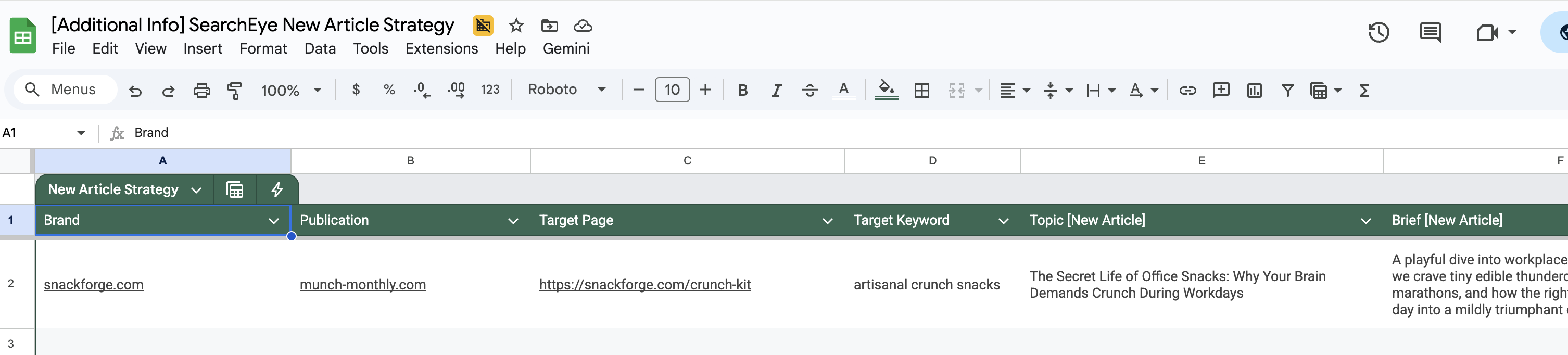
Each row represents one PR opportunity.
Fill in:
Brand
Publication
Target Page URL
Target Keyword
Topic
Brief / Article Summary
Brand Integration Strategy
These inputs require no special formatting — standard text is sufficient.
3. Copy the System-Ready Output
The template automatically transforms your row into a formatted block that can be pasted directly into SearchEye.
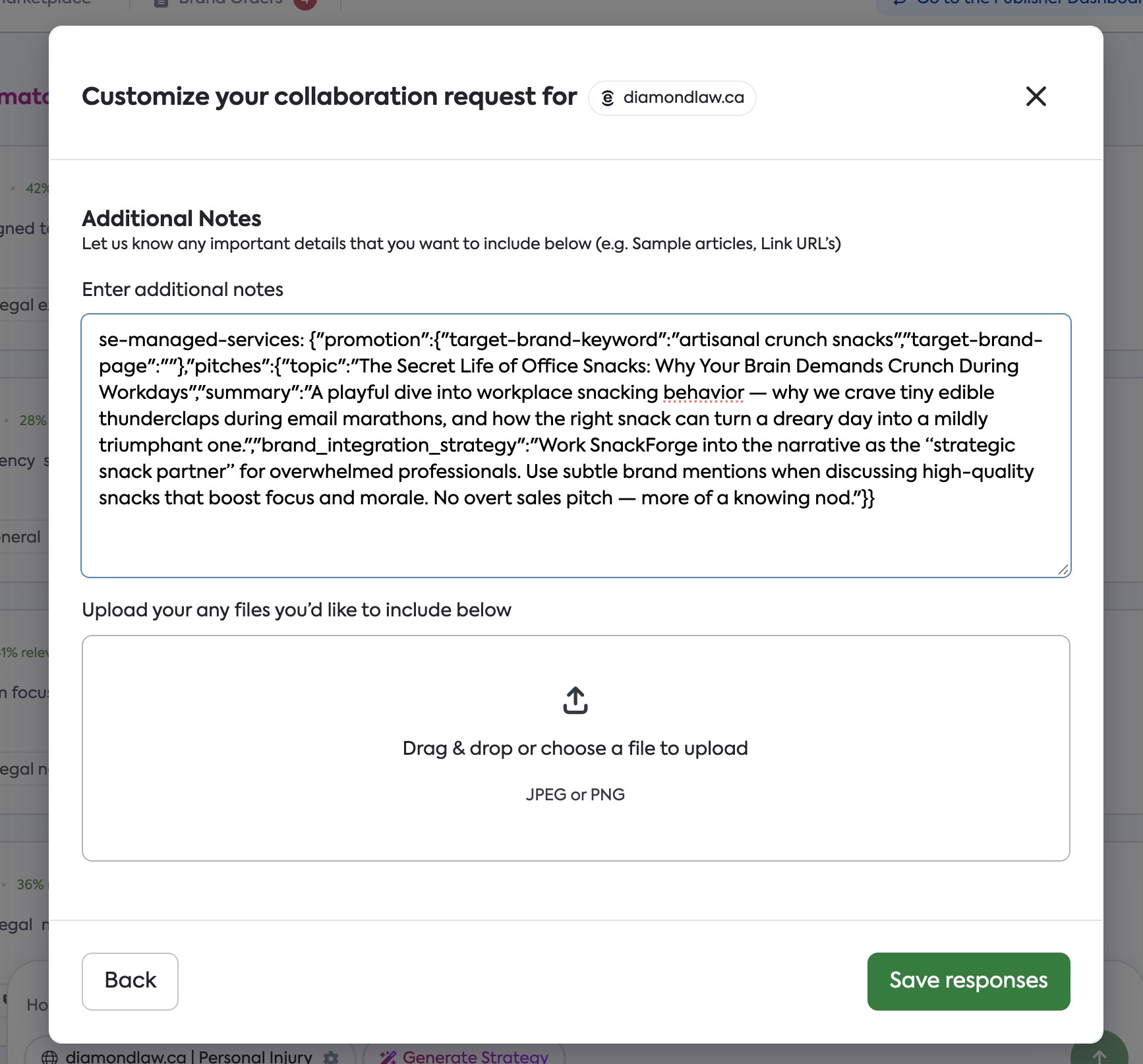
SearchEye will detect and parse:
The target keyword
The target page
Your proposed topic
The article brief
Integration guidance
Simply copy this block and paste it into "Additional Info" field.
Example Entry Included
The template contains an example to demonstrate input structure and output formatting:
Brand: snackforge.com
Publication: munch-monthly.com
Target Page: https://snackforge.com/crunch-kit
Target Keyword: artisanal crunch snacks
Topic: The Secret Life of Office Snacks
Brief: A concise explanation of why office workers crave bite-sized pick-me-ups throughout the day.
Brand Integration Strategy: Position SnackForge as a natural, workplace-friendly snack option.
Best Practices
Topics
Keep concise and editorially relevant
Focus on a clear, single angle
Briefs
Summarize the article direction in 1–2 sentences
Highlight what makes the story valuable or timely
Brand Integration Guidance
Explain how the brand fits naturally within the narrative
Avoid overly promotional language
Workflow Tips
Validate URLs and keywords for accuracy
For bulk creation, complete multiple rows before copying formatted outputs
Frequently Asked Questions (FAQ)
Why do we need this template?
It ensures consistency across PR submissions and eliminates formatting errors, enabling SearchEye to process inputs at scale.
Do I still need to manually enter keywords or URLs?
No — the template handles that for you.
Can I customize the template for my team?
Yes. You may create expanded versions as long as the formatted output column remains intact.
Does the formatting need to be edited?
No. Simply copy the generated output directly into SearchEye.
Can multiple team members work from the same template?
Yes, but each person should make their own copy to avoid overwriting one another’s submissions.
What if I need additional fields?
Submit a request to the SearchEye support team — we can update or customize the template for your workflow.
Need Assistance?
If you need help customizing the template, troubleshooting the output, or adapting this workflow for large-scale campaigns, contact the SearchEye team and we’ll be happy to assist.